
Many people today want to get things done faster at work, but they get stuck when their company blocks AI tools. If you have ever wondered how to use ai at work that block it, you are not alone. More workers now depend on AI for writing, planning, and reducing everyday stress, yet workplace rules sometimes make it confusing to know what’s allowed and what’s not.
Companies block AI for many reasons, but that does not mean you must give up on using smart tools. When you understand what is safe, what is not, and what alternatives you can use, AI becomes a simple helper instead of a risky decision. The whole goal is to stay productive without breaking any workplace rules.
If you need quick help, here are simple answers. Yes, you can use AI at work even if some tools are blocked, as long as you follow your company’s rules and avoid sharing private information. The safest way is using tools your workplace approves or offline tools that keep data on your device. And what should you avoid? Never upload company files or try to bypass restrictions. This guide explains everything in a clear and safe way.
Why Workplaces Block AI Tools
Many workplaces block AI tools because they want to protect important information. When a company handles private data, even a small mistake can cause problems, so they try to keep everything safe by limiting which tools employees can use. This can feel strict, but the main goal is to make sure no sensitive details end up in the wrong place.
The Core Reasons Companies Block AI
Most companies focus on a few simple things when they decide to block AI.
These are the most common reasons:
- They want to prevent data leaks.
- They must follow industry rules and standards.
- They worry about AI tools storing or learning from private information.
- They want to avoid security risks from unknown websites.
- They try to keep work systems stable and protected.
Where Employees Get Confused
Employees often get mixed messages because policies are not always clear. Someone may think AI is fully banned, while another person may think only certain tools are blocked. Sometimes the company does not explain which tasks are safe for AI and which are not. This confusion makes workers unsure about what they can or cannot do.
Why Understanding Policies Matters
Knowing your company’s rules makes everything easier. It helps you stay safe, avoid mistakes, and work without stress. When you understand what the policy allows, you can use AI in a simple and confident way. It also shows that you respect the workplace and want to keep information secure.
What You Can Do Safely When AI Is Blocked
Even when AI tools are blocked at work, there are still many safe ways to use them without breaking any rules. The main idea is to focus on tasks that do not include private or sensitive information. This lets you use AI as a simple helper while staying fully within workplace guidelines. When you understand what is allowed, everything feels easier and more comfortable.
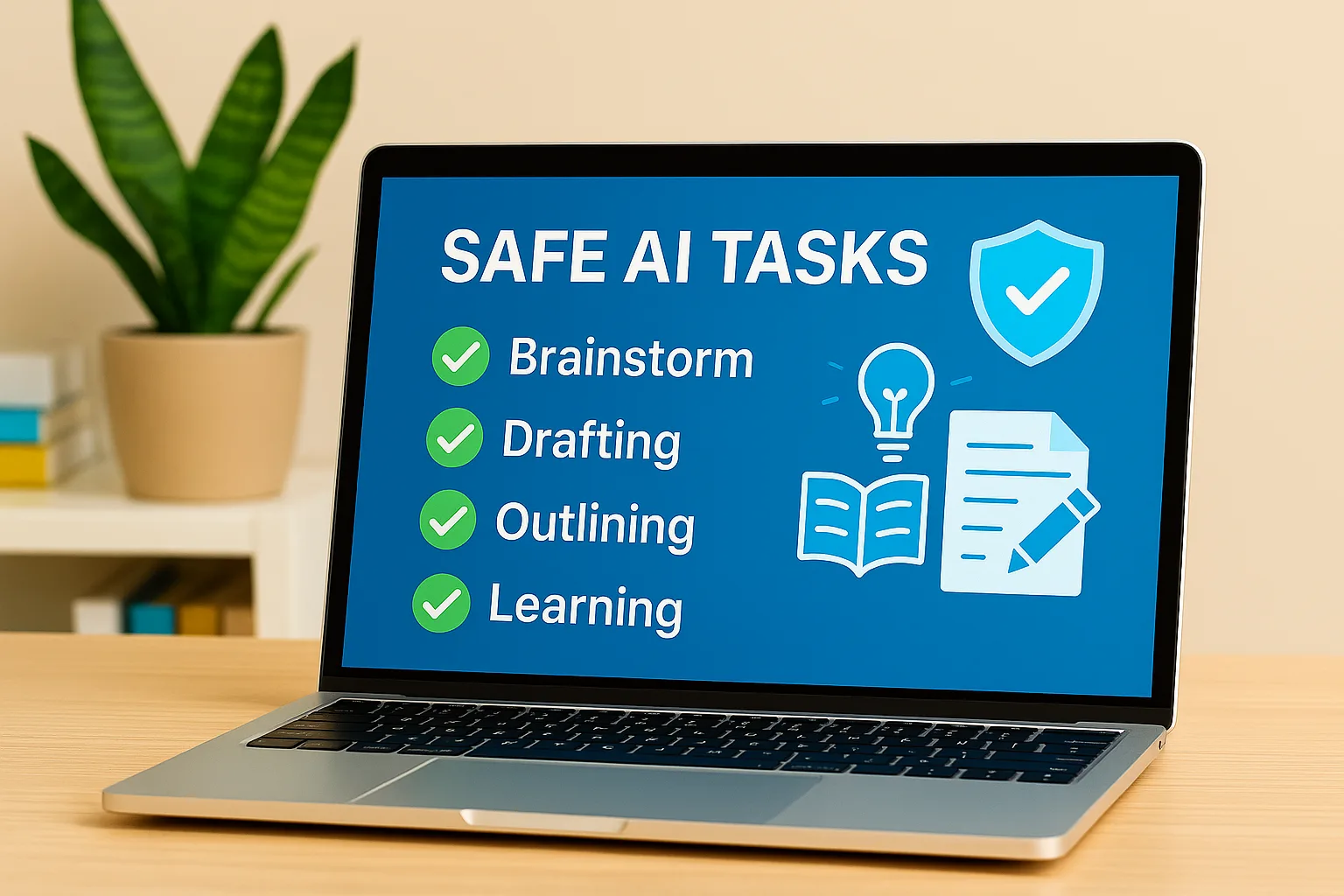
Safe Task Categories
There are many things you can safely do with AI even if your workplace has restrictions. These tasks do not involve private work data and are simple enough to keep you protected.
- Writing general email drafts
- Brainstorming ideas for projects
- Creating outlines for reports
- Learning new public concepts
- Improving the tone or clarity of your writing
- Practicing communication or presentation skills
These tasks are safe because they do not need company details, files, or client information. You only use general text that has no risk.
Tasks You Should Avoid
Some tasks should never be done with AI when you are at work. These tasks can cause problems because they involve private information.
- Uploading internal documents
- Sharing customer or client details
- Using screenshots from work systems
- Entering financial or company numbers
- Asking AI to fix sensitive work reports
Even if the tool looks helpful, these actions can lead to data leaks or break company rules without you noticing.
Simple Boundaries to Stay Safe
A few simple habits can keep you safe when using AI in restricted workplaces. These habits protect you and your company at the same time.
- Never copy text from real work files
- Replace names or numbers with simple placeholders
- Keep work devices and personal devices separate
- Ask yourself if the text is public or private before using AI
These small steps help you stay productive without crossing any lines or putting your job at risk.
Using Company-Approved AI Tools the Right Way
The safest path is simple. Use the AI tools your company has already approved. These tools are set up by IT so your data stays protected. You get the power of AI without the stress of breaking rules. When you follow the policy, you work faster and stay fully safe at the same time.
How to Check What’s Allowed
Start by getting clear answers. A few quick checks save you from mistakes later.
- Read your AI or IT policy in the employee portal
- Ask your manager for a short yes or no on specific tools
- Check if there is an approved tools list or an internal request form
- Confirm what data you can use with these tools and what you must avoid
- Learn if you need to tag or note when AI helped in your work
If anything feels confusing, ask before you try. Clear rules make your work easy and calm.
Common AI Tools Already Built Into Work Platforms
Many teams already have AI inside the apps they use every day. These options reduce risk because they sit inside the tools your company trusts.
- Microsoft 365 Copilot for documents, slides, and email
- Google Workspace AI for writing, sheets, and meetings
- Notion AI for notes, docs, and team spaces
- Jasper Business for brand style and marketing content
- Chat tools with approved AI add-ons in your internal suite
These tools help with drafting, summarizing, and planning while keeping data in the right place.
Benefits of Using Approved AI
Company-approved tools give you strong safety and smooth work.
- Data protection is built in by design
- Admin controls keep content inside the company
- Access and permissions match your role
- Support and training are available from your IT or enablement team
- Easier teamwork because everyone uses the same setup
When your tools are trusted and tracked, you move faster and avoid risk.
Safe Alternatives When Popular AI Tools Are Blocked
When common AI tools are blocked at work, you still have safe options that help you stay productive without breaking any rules. These alternatives work either offline or inside trusted apps your company already uses, so your data stays protected, and nothing leaves your device.
These options are simple, secure, and easy to use. They help with small tasks like writing, planning, or shaping ideas while keeping you fully inside workplace guidelines. With the right tool, you can work faster without risking any sensitive information.
Local AI Tools That Work Offline (how to use ai at work that block it)
Local AI tools run directly on your computer, so nothing gets uploaded online. This makes them one of the safest choices when popular AI sites are blocked. These tools help you write, plan, and clean up text while keeping everything inside your device. They work even without the internet, which means your company data never leaves your system. This protects both you and your workplace from any risk.
Some offline tools are simple, while others can handle bigger tasks like summaries or ideas. Because they store everything locally, they give you the same comfort as online AI but with much stronger safety. These tools are great for drafts, outlines, practice writing, or learning new concepts without using any work files.
- LM Studio for writing and quick drafts
- Ollama for small language models on your laptop
- Jan AI for smooth, offline chat
- GPT4All for text cleanup and idea generation
These choices keep your work safe while still helping you get things done faster.
Offline Use Cases
Offline AI tools shine when the tasks don’t need any real work data. They help with simple, everyday tasks that make your work feel lighter. You can create rough email drafts, rewrite general text, or make quick notes without sharing anything private. These tools are great for practicing communication or turning messy thoughts into clearer ideas.
Some of the most common offline uses include:
- Drafting simple messages
- Fixing tone or grammar
- Brainstorming ideas
- Planning steps for a project
- Learning or reviewing public topics
These tasks stay safe because they only use text you create yourself. Nothing risky or private gets shared.
Built-in AI Features People Often Forget
Many workplaces already use apps that have small AI features inside them, but most people don’t notice. These built-in features follow company rules automatically, so they’re safer than outside tools. They help clean up text, suggest ideas, or make your writing more clear. Since they run inside the apps you already use, they don’t need outside access.
Some common built-in helpers include:
- Smart Write tools in email apps
- AI-powered notes in productivity apps
- Simple suggestions inside document editors
- Writing help inside chat or team apps
These small features can save a lot of time, especially when you want quick help without any risk. They blend with your normal workflow and stay inside the protected system.
Tools With No Data Retention Modes
Some AI platforms offer modes where they do not save anything you type. These modes protect your text and make sure nothing stays on their servers. They are safer options when your workplace allows certain AI tools but with strict rules. These modes help with drafting and rewriting while keeping your information private.
Tools with no retention mode often include:
- Team or enterprise versions of AI chat tools
- Business writing assistants
- Office tools with secured AI layers
These versions are made for teams that need extra safety. They don’t store history, and they keep everything inside the approved environment.
Ethical Productivity With AI in Restricted Workplaces
Working with AI in a restricted workplace feels tricky at first, but once you understand what is safe, it becomes much easier. Ethical use simply means you use AI to support your work without touching anything private or sensitive. You focus on small, harmless tasks that make your day smoother, like shaping ideas or cleaning up simple writing. This way, you stay productive without stepping outside company rules.
Ethical use also keeps your mind clear. You don’t have to worry about making a mistake or sharing something you shouldn’t. When you choose safe tasks and follow simple habits, AI becomes a soft helper instead of a risk. It takes some pressure off your workday while keeping all company information fully protected.

Safe Productivity Workflows
There are many safe ways to use AI without ever touching company files. These simple workflows keep you inside the rules while still giving you the benefit of quick writing help and clearer ideas.
- Draft your rough text in AI, then finish it yourself on your work device
- Use AI to shape your thoughts before starting a real task
- Brainstorm ideas with general examples, not real work details
- Rewrite non-sensitive lines to sound clearer or softer
- Use AI to learn a skill or understand a topic, not to process company data
These workflows give you a little boost without creating risk for you or your team.
Examples of Safe Prompts
Safe prompts use general words. Nothing private, nothing specific, nothing from work systems. These kinds of prompts help you without crossing any lines.
- “Make this sentence easier to read.”
- “Give me simple ideas for improving a presentation.”
- “Explain this public topic in basic words.”
- “Help me rewrite this general message to sound friendly.”
- “List ways to organize my workday better.”
These prompts stay safe because they don’t reveal anything sensitive.
Keeping Work and AI Properly Separated
A big part of safe AI use is keeping work tasks and AI tasks separate. This helps you stay protected and also makes it clear which tool is for what. It removes the chance of mixing work data with outside tools.
- Personal device for general text only
- Work device only for real company tasks
- Replace names or numbers with neutral placeholders
- Stop yourself before copying anything from work files
- Only use AI for planning or shaping ideas, not processing data
These small habits protect both you and your workplace, and they keep AI use simple and safe.
Risks You Should Know Before Using AI at Work
Using AI at work can be helpful, but it also carries risks you should understand clearly. These risks usually appear when someone uses AI without knowing the rules, mixes work data with outside tools, or shares private information by mistake. When you know what can go wrong, you can protect yourself and keep your work safe. This makes AI feel more like a guided helper instead of something that could cause trouble later.
These risks are not meant to scare you. They simply help you stay aware. When you understand what to avoid, you work with more confidence. Most problems happen when someone rushes or copies work details into AI without thinking. By learning the risks, you make better choices and keep both your job and company information safe.
What Is Shadow AI?
Shadow AI means using AI tools at work without permission. It happens when employees use personal devices or external AI websites to handle work tasks. Many people do it because they want to save time, but they don’t realize the danger. Shadow AI is risky because the company cannot see where the data goes, how it is used, or who may access it later. Even a small mistake can lead to information reaching the wrong place.
Shadow AI is often accidental. Someone tries to rewrite a sentence fast or simplify a report, and they paste real work data into an external tool. They don’t mean harm, but the data still leaves the company’s safe system. This alone can break rules without the person noticing.
Why Shadow AI Is Dangerous
Shadow AI can turn into a serious problem because it puts private information at risk. When you upload real work details into unknown tools, you cannot control what happens after. The information might be saved, shared, or used to train models. Even if the tool seems safe, you don’t always know how it handles data.
- Private company details can leak
- Sensitive client information can be exposed
- Legal or compliance rules may be broken
- IT cannot track or protect the data
- You may face workplace issues even if it was accidental
These risks make it important to think twice before sharing anything with an outside AI tool.
Behaviors That Count as Policy Violations
Some actions feel small, but they can still break company rules. Many workers do these things without realizing they count as violations.
- Copying a paragraph from a work file into an AI tool
- Using client or customer names inside prompts
- Sharing screenshots from internal systems
- Uploading documents from the company folder
- Asking AI to fix a sensitive report
Even if you try to hide names, the structure of the text can still reveal too much. This is why companies tell employees to avoid processing any real work data with outside AI.
Safe Workflows and Best Practices for Using AI
Safe workflows help you use AI without crossing any limits or sharing anything private. When you follow simple habits, you stay protected and still enjoy the comfort of quick writing help, idea support, or planning guidance. These best practices make AI feel easy to use, even in places where rules are strict. They keep your work clean, your data safe, and your mind relaxed because you know you’re not taking any risk.
These workflows also help you focus better. Instead of worrying about what is allowed or not, you work with a clear method. You keep sensitive tasks on your work device and use AI only for general writing or planning. This balance lets you move faster without breaking any rules or exposing any information.
The Four Golden Rules
There are four simple rules that make AI safe and stress-free. These rules protect your work and help you avoid accidental mistakes.
- Never upload internal or sensitive data into AI tools
- Use approved or offline tools whenever possible
- Create drafts in AI, but finish the real work on your work device
- Note AI usage only if your company requires it
These rules are easy to follow and keep everything well-protected.
How to Keep Data Safe
Data safety is the most important part of using AI at work. A few easy habits can help you avoid leaks or problems.
- Replace real names with basic placeholders
- Rewrite AI output so it fully becomes your own text
- Avoid using screenshots in any AI tool
- Stop yourself before pasting anything you did not create yourself
- Use AI only for general ideas or rough drafts
When you protect the details, the rest becomes safe to use.
A Sample Safe Workflow
A safe workflow gives you a clear path to follow. It makes sure everything stays under control from start to finish.
- Start with a simple idea or question
- Use AI to brainstorm possible directions
- Take the outline AI gives you and rewrite it yourself
- Move the cleaned-up version into your work file
- Finalize the content only on your work system
This flow keeps AI in the idea stage and your real work in the safe zone.
When to Avoid AI Completely
AI can help with many tasks, but there are moments when it’s better not to use it at all. This protects your company from risk and protects you from accidental mistakes.
- Legal or contract-related documents
- Confidential financial numbers
- Client or customer reports
- Internal strategies or sensitive plans
- Any private information protected by company rules
If a task includes important details, it’s safer to complete it yourself or follow official systems only.
Key Takeaways
AI can be helpful at work even when some tools are blocked, as long as you use it safely and follow your workplace rules. When you protect your company’s information and focus on general tasks, AI becomes a simple helper that supports your work without adding any risk.
- You can use AI for light tasks like planning, shaping ideas, and rewriting general text
- Offline tools and built-in workplace features are safe choices
- Company-approved tools keep your data protected
- Avoid sensitive data and follow your workplace AI policy
- Choose simple, non-private tasks to stay safe and productive
These takeaways show how easy and safe AI use can be when you follow simple habits. When you understand the rules, separate work from AI, and avoid anything sensitive, you work with confidence and keep everything protected. This balance helps you stay relaxed, productive, and aligned with workplace expectations.
Conclusion
Using AI at work can feel simple when you understand what is allowed. Even if some tools are blocked, you can still get help in a safe and protected way. When you follow your workplace rules and focus on general tasks, AI becomes a soft helper that makes your day easier without putting anything at risk.
AI works best when you use it for light writing, planning, or shaping ideas. Offline tools, built in features, and company approved options give you support without touching private information. When you avoid sensitive details and follow safe habits, AI fits smoothly into your workflow and keeps everything protected.
If you want to work in a calm and confident way, start using AI with these safe methods. Small steps make a big difference. If you need help choosing the right tool or want simple prompt ideas for safe use, just let me know and I will guide you.
Frequently Asked Question’s
How to bypass ChatGPT block at work
You should not try to bypass any block at work. The safe way is to use company approved tools or offline AI options that do not break workplace rules.
How to use AI safely at work
Use AI only for general tasks, avoid sensitive information, and follow your company policy. Choose approved tools or offline options to stay protected.
How to use block AI
If your workplace blocks certain tools, you can use offline AI apps or built in features in work software. Always keep real work data away from external tools.
What is the 30 percent rule for AI
The 30 percent rule means AI can help with small parts of your work, but the final content should be mostly your own writing. It keeps your work original and safe.
Is it safe to use AI on a personal device for work
It is safe only if your company allows it. You must never process work files or client information on a personal device.
Can AI help with simple writing tasks at work
Yes, AI can help with ideas, tone changes, or basic drafts as long as the text does not include any private or sensitive information.